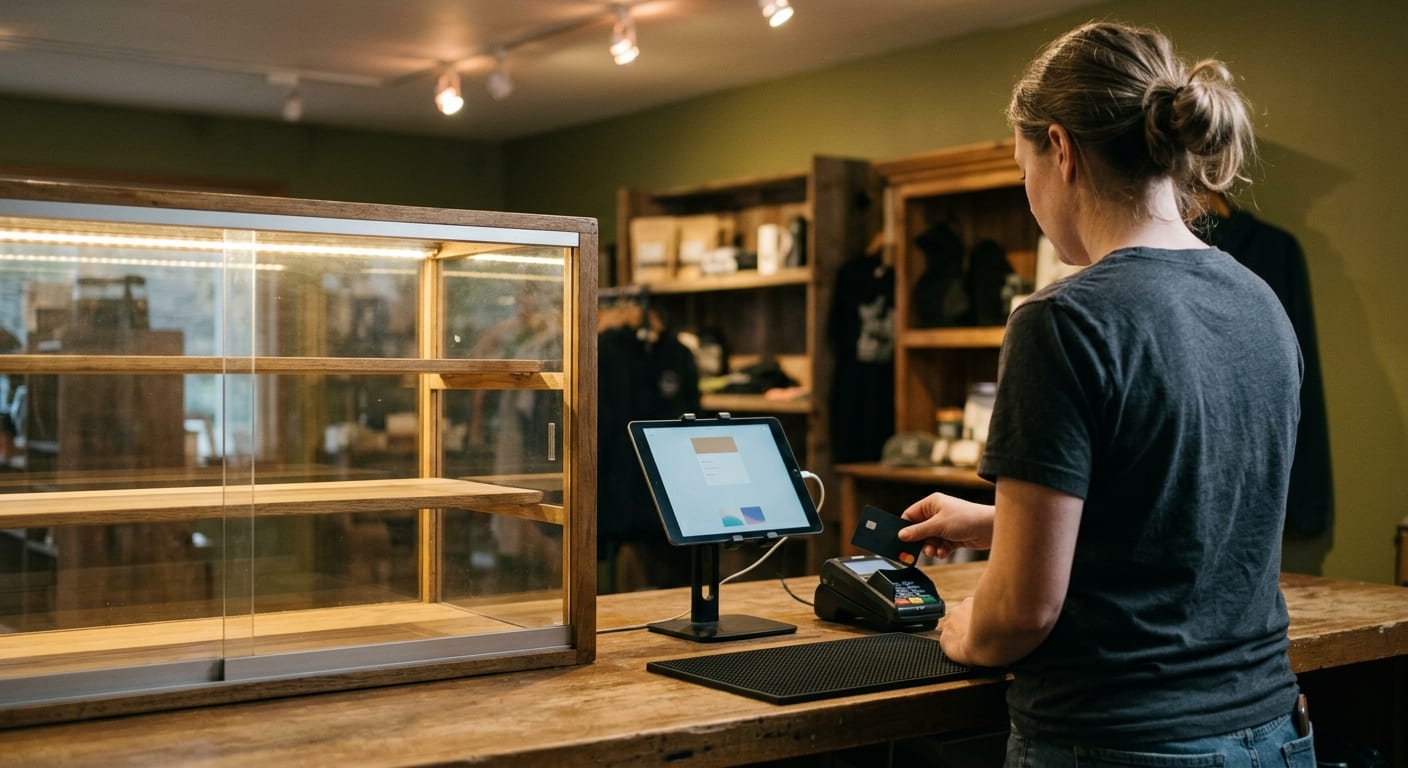
A smoke shop POS has to ring a lighter, a wrap, and a restricted SKU on the same ticket, with an ID check on the items that need one, while the next person in line is already holding a card. That is the job on the floor. The register that lasts is built around that mix: mixed catalogs, age prompts, inventory that decrements at the right unit, and a shift that keeps moving if the network dies.
What the counter has to do on a busy night
The ticket has to open under a named login. A shared cashier password makes every void look the same. You will not reconstruct who skipped a prompt, who opened the drawer, or who took a return. Manager keys belong on a different profile: discounts, refunds, no-sale kicks, price overrides. The closer should read those in a report without calling the vendor.
Speed is the other half. A lookup by short name or SKU beats a photo grid on a Friday rush. Packaged goods want a scanner in the hand. Loose glass and custom pieces want a search a new hire can hit on the second try. If the cashier has to leave the lane to find a price, the line has already turned.
Payments have to finish in one motion. Tap, chip, swipe, and cash in the same lane. Gift cards if you sell them. The drawer opens on cash and stays shut on a card sale. The receipt should show the shop name, the last four of the card, and the items in language a customer recognizes.
The register and the processor are two jobs that meet at that reader. A stack glued to one aggregator can go dark when that aggregator changes its terms. Stripe, Square, and PayPal ban hemp and CBD outright in their published policies, and most merchants who find us were shut off by one of them. Those terms move. Read the provider’s current policy page before you assume a shop with hemp or CBD on the shelf can stay on that stack. Shops in this mix often sit in high-risk processing because of category, chargebacks, and how aggregators treat the shelf.
If you also run a vape counter, flavor and device variants pile up in a different way. We already walked that floor in our note on a POS system for a vape shop. A smoke shop still has its own job: glass, papers, tobacco units, and whatever hemp or kratom you added, all on one ticket. The smoke shop POS systems we place are matched to that counter, then the cost structure goes on paper before anyone commits.
Age checks, inventory, and mixed catalogs
Age checks belong on the SKU, not in the cashier’s memory. A wrap and a lighter should ring through. A restricted line should stop the ticket until an ID is captured. That is age verification as a register job: a prompt, a scan or a keyed date of birth, and a record tied to the sale. Your state’s regulator sets the age rules for each product category. Set the POS to match what that office publishes, and have your own counsel read the setup if the mix is messy.
A visual glance is not a record. An inspector asking what happened last Saturday needs a timestamp, a cashier name, and the SKU that triggered the stop. If the software lets a restricted sale finish with a tap that the customer looked old enough, that tap will show up in the wrong week.
Inventory is the quiet half of the same ticket. Tobacco does not live as one countable unit. A carton breaks into packs. A box of cigars breaks into sticks. Selling a pack has to drop the carton count in a way your receiving still understands. Glass often has no barcode. Someone has to add that SKU once, with a photo and a bin, so the next cashier does not invent a price at the case.
Hemp, CBD, kratom, and vape on the same shelf each want their own department, tax flag, and age flag. CBD store POS software that treats a gummy like a pack of papers trains the cashier to skip the prompt. It also trains a sponsor bank to distrust the file, because the catalog no longer matches what is actually on the shelf. If you added those categories later, mark the SKUs before you send another application.
Receiving should happen against a vendor packing list, not a sticky note on the back counter. Print a shelf label from the same item you just took in. High-value pieces sit behind the glass for a reason. The report that shows voids, discounts, and no-sale opens is how you catch a drawer problem before the week is gone.
Shops with more than one door need one back office that can see both drawers without exporting a spreadsheet. Combine inventory or keep it per store. A transfer between shops should leave a trail either way.
What breaks when the network drops mid-shift
The line does not care that the ISP blinked. Cash still has to work. Lookups still have to work. The ticket that was half built still has to sit there. A register that throws a spinner and locks the lane is a closed shop.
Offline mode is the name vendors use. What you need is simpler. Local tickets should keep writing to the terminal. Inventory should decrement on that device and sync when the connection returns, without double selling the last pack. Card sales are the fragile part. Some setups will park a chip read and send it later. Some will refuse the card until the reader can reach the host. You want that behavior in writing, on your mix of cards, before Friday night.
A paper backup is still part of the shift. A printed SKU cheat sheet in the drawer. A cash total you can reconcile when the batch finally goes out. If the only copy of today’s sales lives in a browser tab, a dead circuit means you are guessing at close.
Staff permissions still apply when the cloud is gone. A cashier should not gain manager powers because the login server is unreachable. The device should already know who is on it.
Test this on a weekday. Pull the cable in the middle of a dummy ticket. Take a cash sale. Try a card. Add a restricted SKU and watch whether the ID prompt still fires. Then restore the network and confirm the ticket, the inventory, and the batch look like one shift, not two.
Shops that try to paper over a dead card lane with a cashless ATM are taking a different risk. That device is registered as cash-access equipment, routes over debit networks on that basis, and the amount arrives labelled as money handed to the cardholder. The transaction is coded as something it is not, network rules do not allow it, and the merchant carries the consequences. We do not sell them and we do not call them card acceptance.
Hardware you can swap without rebuilding the shop
The counter should be parts, not a sculpture. A tablet or a small PC on a stand. A scanner you can replace from a box. A card reader on its own cable. A cash drawer that opens from a kick, not from a proprietary brick. A receipt printer with a spare roll in the drawer. When a reader dies at 7 p.m., you swap the reader. You do not rebuild the shop.
All-in-one units feel tidy on day one. They also fail as a unit. If that slab is the only device that can talk to your processor, a hardware fault is a closed lane. Ask how a spare reader gets paired, and who ships it. Ask whether the software runs on a replacement tablet you can buy locally.
Leases hide this. Terminals and readers get bought outright, leased, or bundled. A lease is often the most expensive way to buy the cheapest device. Put the hardware line on the same page as processing, with each device named. Our pricing page is built around that kind of quote: interchange, markup, recurring fees, hardware, and risk terms, with no rate card on the public page. Figures go in writing after we see statements.
Scanners, pole displays, and ID imagers should be ordinary USB or Bluetooth parts. A vendor-locked ID scanner is a spare-parts problem in six months. The POS has to talk to a replacement without a paid site visit.
Power and network are hardware too. A small UPS keeps the drawer and the tablet up through a blink. A wired backup next to Wi-Fi keeps you from discovering, mid-rush, that the only path out is a phone hotspot with one bar.
How to walk a demo without buying the pitch
Bring your real catalog, not the vendor’s sample store. Load a carton, a pack, a glass piece with no barcode, a hemp or CBD item if you sell it, a vape if you sell it, and a cheap accessory. If they cannot run that mix, they cannot run your counter.
Run one ugly ticket. Accessory plus restricted SKU. Watch who gets the ID prompt. Void a line under a cashier login and confirm it is blocked. Try the same void as a manager. Discount one item. Kick the drawer with no sale. Every one of those clicks is a Friday-night move.
Then pull the network. Cash, card, ID prompt, restore, reconcile. If the rep will not let you pull the cable, you already learned how the shift will go.
Ask which merchant category code the processing would use, and get that answer in writing. Do not let anyone suggest you describe the business as something else so a consumer-app stack will take it. Miscoded accounts and disguised transactions get frozen, and the merchant absorbs the loss. We will not set that up.
Watch the receiving screen. Enter a carton and see it break into packs. Count from a handheld if they have one. Print a label at the counter. Loyalty programs and multi-store dashboards can wait until the ticket, the ID, and the inventory are true.
If the POS only works with one processor, treat that as a single point of failure. We match the shop to processing and point-of-sale that will hold up under underwriting. Approval is the sponsor bank’s decision, never ours. Anyone guaranteeing approval in this category is guessing or lying. What we will do is learn how the counter actually runs, then put the full cost structure on paper before you commit. Call (844) 860-5505 with a few recent statements and a photo of the counter.
Frequently asked questions
Does the register have to include the processor? The software that rings the ticket and the account that settles the card are two different jobs. Some vendors glue them together. That is convenient until the processor’s terms change and the lane dies with them. Pick POS that can sit on processing that matches what you actually sell, and read that processor’s current published policy before you sign.
Can the same system run if I add CBD or kratom later? It can if the catalog can mark those SKUs with their own department, tax flag, and age flag, and if the processing file is updated to match the shelf. Adding the product in a generic miscellaneous bucket is how prompts get skipped and how underwriting later reads a shop that no longer matches its application.
What should I put in front of a rep during a demo? Your real SKU list, a restricted item, an accessory with no barcode, and a network cable you are willing to pull. Three months of processing statements help us put cost in writing. A photo of the counter tells us whether the hardware can be swapped without rebuilding the lane.
What happens if I keep a free retail POS? The register may ring a simple accessory ticket. Restricted SKUs, carton-and-pack counts, and a processor that will hold this category are the parts that usually go missing. Free software still settles cards through someone. Check that someone’s current policy if hemp or CBD is on the shelf.
Do I need a different POS for a second location? You need one back office that can see both drawers, move stock with a trail, and keep logins and age flags the same. Two unrelated apps that both happen to print receipts will drift the first week a price changes.